How to Replace Spreadsheets With ERP Software [A Practical Guide for Growing Businesses]
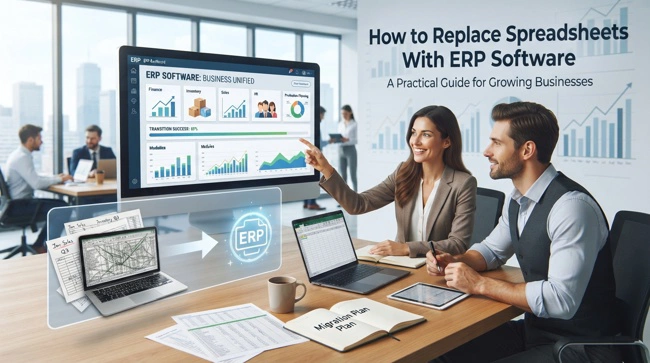
If your business has reached the point where spreadsheets are everywhere, you are probably spending more time managing information than actually using it. One spreadsheet tracks inventory, another handles sales, someone maintains a separate purchasing file, and accounting has its own version of the numbers. Spreadsheets can be incredibly useful when a company is small, but as transactions, employees, customers, and products increase, they can become difficult to control.
The practical answer is to replace spreadsheets with ERP software when they create more operational problems than they solve. An Enterprise Resource Planning (ERP) system brings core business functions such as accounting, inventory, purchasing, sales, customer management, and reporting into a connected environment. Instead of relying on employees to constantly copy, update, reconcile, and share files, the business can work from centralized and more consistent information.
That does not mean you should immediately delete every spreadsheet and install the most expensive ERP platform you can find. A successful transition starts by understanding what your spreadsheets actually do, deciding which processes should be automated, selecting software that fits your business, preparing your data, and introducing the system gradually. Read on to learn how to replace spreadsheets with ERP software without creating unnecessary disruption or turning implementation into an expensive technology project.
How to Replace Spreadsheets With ERP Software
The decision to replace spreadsheets with ERP software should begin with the business problem rather than the technology. An ERP system is not valuable simply because it has hundreds of features; it is valuable when it makes important business processes more reliable, connected, and easier to manage. Before choosing a platform, identify where spreadsheets are slowing the business down or creating avoidable risks.
Start by mapping how information moves through the company. For example, a customer order might begin with a salesperson, move into a spreadsheet, get emailed to the warehouse, and eventually reach accounting for invoicing. If several employees have to manually re-enter the same information, you have identified a process where an ERP system could create immediate value.
The same exercise can be applied to inventory, purchasing, employee workflows, financial reporting, project management, and customer records. Look beyond individual files and ask why each spreadsheet exists. Some may simply be workarounds for limitations in your current software, while others may represent processes that have never been properly systematized.
Why Businesses Outgrow Spreadsheet-Based Management
Spreadsheets are popular because they are inexpensive, flexible, and familiar. A small business can create a sales tracker in minutes, add a few formulas, share the file with a colleague, and continue operating without purchasing specialized software. That flexibility is useful, particularly during the early stages of a company's development.

The problem appears when the number of spreadsheets and people using them grows. One employee may update a file while another is working from an older version. Formulas can accidentally be overwritten, columns can be changed, and important information can become buried in worksheets that only one person understands. What started as a simple solution gradually becomes an unofficial business system.
This is often a sign that the organization is ready to consider ERP software for companies outgrowing spreadsheets. At this stage, the question is no longer whether spreadsheets are useful. The question is whether they remain the right primary system for managing increasingly complex business operations.
Signs Your Business Is Ready for an ERP System
There is no universal employee count, revenue threshold, or transaction volume that automatically means a company needs ERP software. A ten-person business with complicated inventory and purchasing processes may need one sooner than a 50-person service company with relatively simple operations. The real indicators are operational complexity and the cost of continuing with disconnected tools.
Some of the most common warning signs include:
- Employees maintain multiple versions of the same business information, making it difficult to know which file is current.
- Management spends hours combining spreadsheets before producing routine reports or financial summaries.
- Inventory quantities frequently differ between spreadsheets, the warehouse, and the actual stock on hand.
- Employees repeatedly enter the same customer, product, sales, or purchasing information into different systems.
- Business processes depend heavily on one employee who knows how complicated spreadsheets and formulas work.
- Errors in formulas, manual calculations, or data entry are affecting decisions, invoices, inventory, or reporting.
Another important warning sign is that employees are creating increasingly elaborate workarounds. When a spreadsheet contains dozens of formulas, macros, linked files, hidden tabs, and manual instructions just to keep a basic process running, it may be doing the work of a poorly connected business application.
What Does an ERP System Replace?
An ERP system does not necessarily replace every spreadsheet in a business. Spreadsheets will probably remain useful for analysis, temporary calculations, planning, and specialized tasks. The goal is to replace spreadsheets that function as the company's primary source of operational data.
For example, an ERP platform can centralize customer records instead of keeping separate customer lists in sales spreadsheets. It can manage inventory instead of relying on manually updated stock worksheets. It can connect purchasing with inventory requirements and link sales activity with invoicing and financial reporting.
The following table illustrates how common spreadsheet-based processes can transition into an ERP environment:
| Spreadsheet-Based Process | ERP-Based Approach | Main Benefit |
|---|---|---|
| Sales tracking | Sales/order management | Centralized transaction records |
| Stock spreadsheets | Inventory management | More consistent inventory visibility |
| Supplier lists | Purchasing management | Better supplier and purchasing control |
| Manual invoices | Accounts receivable | More connected billing workflows |
| Expense spreadsheets | Financial management | Centralized financial records |
| Customer databases | CRM/customer management | Shared customer information |
| Manual reports | ERP dashboards and reporting | Faster access to business insights |
The exact modules will depend on the ERP platform. Some businesses may need accounting, inventory, purchasing, sales, CRM, and manufacturing, while others may only require a smaller combination of modules.
Audit Your Spreadsheets Before Migrating to ERP
One of the biggest mistakes businesses make is treating ERP implementation as a simple software installation. Before moving information into a new platform, you need to understand what information actually exists in your spreadsheets and whether it is accurate.
Create an inventory of your important spreadsheets and identify who uses each one, what information it contains, how frequently it is updated, and what business process depends on it. Pay particular attention to files containing customer information, product catalogs, supplier details, inventory records, pricing, financial information, and historical transactions.
You should also look for duplicate and outdated information. If three spreadsheets contain customer addresses, for example, determine which source is most reliable before importing anything. Moving bad data into an ERP system does not solve a data-quality problem; it simply gives the problem a more sophisticated home.
Clean and Prepare Your Business Data
Data migration is one of the least glamorous parts of an ERP project, but it can determine whether the new system starts on solid ground. Old spreadsheets often contain duplicate customers, inconsistent product names, missing information, obsolete SKUs, incorrect addresses, and formatting that was designed for human use rather than database management.

Before migration, decide what should be transferred and what should be archived. Not every historical spreadsheet needs to become an active ERP record. In some cases, retaining older information in a secure archive is more sensible than importing years of unnecessary or unreliable data into the new system.
Data should also be standardized. Customer names, product codes, units of measurement, tax information, supplier records, and other important fields should follow consistent conventions. This is an area where ERP consulting services for small business owners can be particularly valuable because an experienced implementation team can help distinguish between useful business data and accumulated spreadsheet clutter.
Choose an ERP That Fits Your Business
Choosing ERP software based on the size of the vendor's feature list is rarely a good strategy. A system should fit the way your business operates, while still providing enough flexibility for expected growth. A platform that is too basic may leave you rebuilding the same spreadsheet workarounds, while an unnecessarily complex system can overwhelm employees and increase implementation costs.
Consider the core processes that matter most to your business. A product-based company may prioritize inventory, purchasing, POS integration, order management, and accounting. A professional services company may care more about projects, time tracking, billing, CRM, and financial management. A manufacturer may require production planning, bill of materials, procurement, quality management, and warehouse functionality.
Cost matters, but look at the total cost of ownership rather than only the subscription or license price. Implementation, customization, training, data migration, support, integrations, and future upgrades can all influence the real cost of an ERP system.
Plan the ERP Implementation Before Switching

A carefully planned implementation is much less disruptive than trying to change every process at once. Start by defining what the first phase needs to accomplish. You might begin with accounting and inventory, for example, before adding advanced CRM, automation, or other modules.
Create clear ownership for the project. Someone needs to make decisions about workflows, data, permissions, training, and priorities. Employees who use the existing spreadsheets every day should also be involved because they understand practical problems that may not appear in a management-level process map.
This is also the stage to establish measurable goals. Instead of saying that the business wants to "modernize operations," define outcomes such as reducing manual data entry, shortening monthly reporting time, improving inventory accuracy, or reducing duplicate customer records. Clear goals make it easier to determine whether the ERP implementation actually delivered value.
Train Employees Before You Turn Off the Spreadsheets
Employee resistance is one of the most common challenges during software transitions. People often resist ERP systems not because they dislike technology, but because they are comfortable with the tools they already understand. A spreadsheet may be inefficient from management's perspective but familiar and predictable to the employee who has used it for years.
Training should therefore focus on real work rather than generic software demonstrations. Employees should understand how to complete the tasks they perform every day, what changes under the new system, and what they should do when an unusual situation occurs.
It is also useful to explain why the business is making the change. If employees understand that the goal is to reduce duplicate work, improve information accuracy, eliminate unnecessary manual reporting, and make their jobs easier, adoption is more likely to improve. ERP implementation should be treated as a business change project, not just an IT project.
Avoid Running Old and New Systems Forever
During an ERP transition, it can be tempting to keep every old spreadsheet running indefinitely "just in case." A short period of parallel operation can be useful for testing, but maintaining two competing systems for too long creates confusion and additional work.
If employees continue recording the same transactions in both the ERP and spreadsheets, management may eventually have two different versions of the truth. This defeats one of the primary reasons for implementing an ERP system in the first place.
A better approach is to define which processes will officially move into the ERP and establish a clear cutover point. After adequate testing and training, employees should know which system is authoritative for each type of information. Spreadsheets can still be used for analysis or specialized tasks, but they should no longer quietly function as unofficial databases.
Connect ERP Software With Other Business Applications

Replacing spreadsheets does not necessarily mean putting every business function inside one application. Modern businesses often use specialized tools for e-commerce, payment processing, CRM, payroll, marketing, project management, or customer support. The important issue is whether those applications can exchange information effectively.
For example, an online order may need to reach the ERP system, update inventory, create a sales record, and eventually contribute to accounting information. If employees have to manually transfer that information between platforms, you may simply be replacing spreadsheet work with another form of manual administration.
This is where business software integration services can become useful. APIs, middleware, connectors, and custom integrations can allow different applications to communicate while preserving the specialized tools the business already depends on. Integration should be planned as part of the overall architecture rather than treated as an afterthought.
When Custom ERP Software Makes More Sense
Not every company needs a custom ERP system. For many small and mid-sized businesses, a reputable commercial ERP platform can provide enough functionality without the expense and responsibility of developing a system from scratch.
Custom development may make sense when the company's processes are highly specialized, existing applications need unusual integrations, or standard ERP workflows would require excessive workarounds. The objective should not be customization for its own sake. Customization should solve a genuine business requirement that cannot be addressed effectively through configuration or an existing integration.
For companies considering that route, custom ERP systems for small and mid-sized businesses can provide a way to design workflows around specific operational requirements. However, decision-makers should carefully compare development and maintenance costs against the benefits of using an established platform.
Automate the Work That Spreadsheets Made Manual
One of the biggest opportunities after moving to ERP software is automation. A spreadsheet may require an employee to copy sales figures, calculate totals, update inventory, send an email, and prepare a report. An ERP system can potentially connect those steps so that one transaction triggers several downstream processes.
Automation should be introduced thoughtfully. Not every process needs to be automated immediately, and automating a poorly designed workflow can simply make mistakes happen faster. Start with repetitive, rules-based activities where the desired outcome is clear.
Good candidates can include low-stock notifications, approval workflows, invoice generation, recurring reports, purchase requests, customer notifications, and routine data synchronization. As the business becomes comfortable with the ERP environment, more sophisticated automation can be introduced.
Measure Whether the ERP Transition Is Working
Installing ERP software is not the finish line. After implementation, management should monitor whether the system is actually improving business performance. Employees may discover workflow problems that were not obvious during testing, and some processes may need to be adjusted after the system has been used in real conditions.

Useful measurements can include reporting time, inventory accuracy, order-processing time, duplicate data entry, invoice-processing time, and employee adoption. The specific metrics should reflect the problems that originally motivated the ERP project.
It is also worth scheduling periodic reviews. As the company grows, new requirements will appear, and the ERP system may need additional configuration, integrations, automation, or modules. The best ERP environment is not necessarily the one that never changes; it is one that can evolve alongside the business.
Common Mistakes When Replacing Spreadsheets With ERP
A spreadsheet-to-ERP migration can deliver significant benefits, but several mistakes can make the transition unnecessarily difficult. The most common problems usually involve planning, data, employee adoption, or unrealistic expectations rather than the ERP software itself.
- Choosing software before documenting business processes and requirements.
- Migrating every historical spreadsheet without reviewing data quality or relevance.
- Failing to involve employees who understand day-to-day operational workflows.
- Trying to implement every ERP module and automation feature at the same time.
- Underestimating training, data migration, integration, and ongoing support requirements.
- Keeping spreadsheets as unofficial systems long after the ERP has gone live.
Another mistake is expecting ERP software to fix fundamentally broken processes automatically. Technology can make a good process faster and more consistent, but it cannot replace thoughtful business decisions. Before automating a workflow, ask whether the workflow itself makes sense.
Frequently Asked Questions About Replacing Spreadsheets With ERP Software
When should a small business replace spreadsheets with ERP software?
A small business should consider replacing spreadsheets when they are causing recurring errors, duplicated work, reporting delays, inventory problems, or difficulties accessing reliable information. Employee count alone should not determine the decision. If spreadsheets are becoming a bottleneck for important business processes, an ERP evaluation may be worthwhile.
Can ERP software completely replace Microsoft Excel or Google Sheets?
Usually, no, and it does not need to. ERP software should replace spreadsheets that function as core operational databases or systems of record. Excel and Google Sheets can continue to be useful for ad hoc analysis, forecasting, calculations, and other tasks that do not need to become part of the company's central operational system.
How difficult is it to migrate spreadsheet data to an ERP?
The difficulty depends largely on the quality, quantity, and complexity of the existing data. Clean, consistently structured spreadsheets are generally easier to migrate than files containing duplicates, inconsistent formats, missing fields, and complicated formulas. Proper data preparation before migration can significantly reduce implementation problems.
How long does it take to replace spreadsheets with an ERP?
There is no single timeline because ERP projects vary considerably. A small business with straightforward processes may implement a limited system relatively quickly, while a company with multiple locations, complex inventory, numerous integrations, or specialized workflows may require considerably more time. A phased implementation can make the transition more manageable.
Is ERP software too expensive for a small business?
Not necessarily. There are ERP platforms and implementation approaches designed for smaller organizations, although costs vary significantly. Businesses should compare the total cost of continuing with inefficient manual processes against the cost of software, implementation, training, and support. The cheapest software is not always the least expensive option in the long run.
Can an ERP system integrate with existing business software?
Yes. Many ERP systems can connect with other applications through native integrations, APIs, middleware, or custom development. Before choosing a platform, identify the applications that need to exchange information and verify exactly what data can be synchronized.
Should a business use an ERP consultant?
An ERP consultant can be particularly helpful when a company has complicated workflows, multiple systems, significant data migration requirements, or limited internal implementation experience. A consultant can help with requirements analysis, software selection, process design, data preparation, integration, training, and implementation planning.
Replacing Spreadsheets Is a Business Transformation, Not Just a Software Upgrade
When a business decides to replace spreadsheets with ERP software, the biggest opportunity is not simply eliminating Excel files. It is creating a more connected way of running the company. Instead of information being trapped inside individual documents, important business data can move between sales, inventory, purchasing, accounting, customer management, and reporting processes with far less manual intervention.
The transition does require discipline. Businesses need to understand their existing processes, clean their data, select software based on actual requirements, train employees, and establish clear rules about where information should be maintained. Skipping these steps can turn an ERP project into an expensive software installation that does not solve the original problems.
For growing companies, however, the payoff can be substantial. A well-implemented ERP system can provide better visibility, reduce repetitive administrative work, improve data consistency, and give management a stronger foundation for making decisions. The objective is not to eliminate every spreadsheet from the workplace. It is to make sure your most important business processes are supported by systems designed to manage them reliably as the company grows.