How to Choose Technology That Grows With Your Company [Business Management Systems That Scale With Growth]
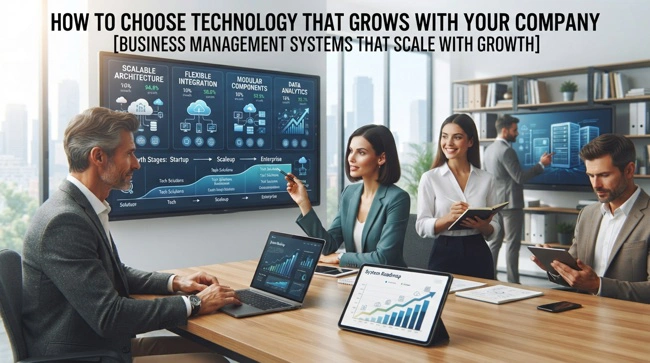
Growth sounds simple from the outside: more customers, more sales, more employees, and perhaps more locations. Inside the business, however, growth can expose weaknesses that were easy to overlook when the company was smaller. Spreadsheets become difficult to maintain, disconnected applications create duplicate work, and managers spend more time chasing information than using it. This is where business management systems that scale with growth can make a meaningful difference.
Business management systems that scale with growth are designed to support increasing transaction volumes, users, locations, products, customers, and operational complexity without forcing a company to constantly replace its core technology. The best system is not necessarily the one with the most features; it is the one that can handle today's requirements while providing a practical path toward tomorrow's needs. That may involve ERP software, CRM, accounting, POS, inventory, workflow automation, cloud services, or integrations between several specialized applications.
If your business is growing and your current software is starting to feel like a collection of temporary fixes, this guide will help you think through the problem more strategically. Read on to learn what scalable business management systems are, which capabilities matter most, how to recognize when your current technology is holding you back, and how to build a technology environment that can grow without creating unnecessary complexity.
What Are Business Management Systems That Scale With Growth?
Business management systems that scale with growth are software platforms or connected technology environments that can accommodate a company's changing operational needs as it becomes larger or more complex. Scaling does not simply mean adding more users. A genuinely scalable system should be able to support additional transactions, products, employees, departments, sales channels, locations, and business processes while remaining manageable and reliable.
For a small company, this might begin with basic accounting, customer records, inventory, and sales management. As the organization expands, it may need purchasing, human resources, project management, customer relationship management, warehouse operations, advanced reporting, or automated workflows. A scalable technology environment makes it possible to add these capabilities without rebuilding the entire business from scratch.
This is one reason companies should think beyond their immediate software requirements. Buying technology only for today's needs can appear cost-effective, but replacing a system every time the company reaches another stage of growth can create migration costs, training problems, data complications, and operational disruption.
Why Scalable Business Software Matters as a Company Grows
A growing company usually becomes more complicated before it becomes more efficient. More customers generate more transactions, additional employees create more communication requirements, and new locations introduce another layer of inventory, reporting, and management. Software that worked perfectly for a ten-person company may become frustrating when the organization reaches fifty or one hundred employees.

The problem is often not that the original software was bad. It was simply designed around a smaller operating model. The company changed, but its technology did not change with it. Employees then create workarounds, maintain side spreadsheets, copy information between systems, or use personal processes to compensate for missing functionality.
Businesses that have reached this stage may benefit from ERP software for companies outgrowing spreadsheets, particularly when information is scattered across multiple files and applications. A centralized system can provide a more consistent foundation for financial data, inventory, sales, purchasing, and other operational information.
Signs Your Business Has Outgrown Its Current Management Software
You do not have to wait for a major failure before evaluating your technology. In many cases, the warning signs appear gradually. Employees may begin complaining that simple tasks take too long, managers may struggle to get reliable reports, and different departments may maintain conflicting versions of the same information.
Another warning sign is increasing dependence on manual processes. If employees regularly export data from one system, modify it in Excel, upload it into another system, and then repeat the process every week, the business may have an integration or workflow problem. Manual work may seem harmless when volumes are low, but it becomes expensive and error-prone as activity increases.
Common signs that your business management technology may no longer be keeping up include:
- Employees repeatedly entering the same information into multiple systems.
- Managers waiting days for reports that should be available much faster.
- Inventory, customer, sales, or financial data frequently disagreeing between departments.
- Adding a new employee, location, product, or sales channel requiring significant manual setup.
- Existing software becoming slow, restrictive, or difficult to customize as usage increases.
- Employees relying heavily on spreadsheets to compensate for gaps in the main business system.
- Business owners having limited visibility into operations unless several reports are manually combined.
These problems are not merely technical inconveniences. They can affect customer service, employee productivity, purchasing decisions, financial control, and the ability of management to respond quickly to changes in the market.
The Core Characteristics of a Scalable Business Management System
A scalable system should make growth easier rather than simply tolerate it. That distinction is important. A platform that technically supports more users but requires increasingly complicated administration may not provide meaningful scalability.
The strongest systems tend to combine flexibility, integration, automation, security, reporting, and manageable administration. They allow businesses to add capabilities as requirements evolve instead of forcing every department into a rigid workflow.
| Scalability Factor | What to Look For | Why It Matters |
|---|---|---|
| User scalability | Support for additional employees and roles | Allows the organization to grow without replacing the platform |
| Integration | APIs, connectors, and third-party integrations | Helps different business applications share information |
| Workflow automation | Rules, triggers, approvals, and notifications | Reduces repetitive manual work as transaction volumes increase |
| Reporting | Custom dashboards and real-time or near-real-time reports | Gives management better visibility as operations become more complex |
| Multi-location support | Centralized management of branches and facilities | Helps businesses expand geographically |
| Customization | Configurable fields, workflows, and business rules | Allows the software to adapt to changing requirements |
| Security | Role-based access, authentication, audit trails, and controls | Protects growing volumes of business data |
| Cloud capability | Accessible infrastructure with flexible capacity | Supports distributed teams and easier expansion |
The important point is that these capabilities should work together. A business may have an excellent reporting platform, for example, but if employees must manually consolidate data before generating each report, the reporting capability does not solve the underlying scalability problem.
ERP, CRM, POS, and Accounting: How the Pieces Fit Together
There is no universal requirement that every growing business must purchase one enormous software platform. In reality, companies often use several applications, each serving a particular function. The challenge is making sure those systems communicate effectively.
An ERP platform may manage finance, procurement, inventory, and operations. A CRM system may focus on leads, customers, sales pipelines, and customer interactions. A POS platform handles transactions at the point of sale, while accounting software manages financial records. E-commerce platforms may manage online orders, and specialized applications may support payroll, shipping, marketing, or human resources.
The technology becomes more powerful when these systems are connected appropriately. For example, a completed POS transaction could update inventory, contribute to financial records, and provide sales information for management reporting. This is where integrated POS and inventory management system capabilities become especially valuable for product-based businesses.
The objective is not to eliminate every application. It is to create an environment where employees can access reliable information without constantly moving data manually from one system to another.
Integration Is Essential for Long-Term Scalability
Integration becomes increasingly important as a company adds software. Every new application creates another potential data silo if it cannot communicate with the systems already in use. Over time, these silos can become difficult and expensive to manage.

For example, imagine a growing retailer using separate systems for its website, POS terminals, inventory, accounting, and customer management. If these systems do not communicate, employees may have to manually transfer orders, update stock, reconcile payments, and maintain customer records. The number of manual tasks increases as sales increase.
Business software integration services can help companies connect existing applications through APIs, middleware, database integrations, or supported third-party connectors. The right integration strategy depends on the software involved, the data being exchanged, security requirements, and the level of automation the business needs.
Automation Helps Systems Keep Pace With Business Growth
Growth often creates repetitive work. More customers mean more orders, more invoices, more emails, more approvals, more inventory movements, and more reports. Hiring additional people to perform every repetitive task may allow the business to keep operating, but it does not necessarily create an efficient long-term model.
Automation can take over predictable processes while leaving employees responsible for decisions that require judgment. A system might automatically send an approval request when a purchase order exceeds a threshold, notify a manager when inventory falls below a certain level, or create a task when a new customer completes a specific action.
Businesses evaluating this opportunity can also explore small business automation and workflow solutions to identify processes that are repetitive, rule-based, and suitable for automation. The goal should not be to automate everything. Good automation removes unnecessary friction without making business processes difficult for employees to understand.
Data Should Have a Single Source of Truth
As businesses grow, data consistency becomes increasingly important. If customer information exists differently in three systems, employees may not know which record is correct. The same problem can occur with product prices, inventory quantities, supplier information, or financial data.
A scalable technology environment should establish clear ownership of important information. This does not necessarily mean storing every piece of information in one application. Instead, it means defining which system is authoritative for each type of data and ensuring other systems receive appropriate updates.
For instance, an ERP system might be the primary source for inventory quantities, while a CRM platform manages customer relationship information. An integration layer can then synchronize the information that other applications need. This approach creates clearer responsibilities and reduces unnecessary duplication.
How Cloud Technology Supports Business Growth
Cloud computing has changed the way growing businesses think about software infrastructure. Instead of purchasing and maintaining all technology on local servers, companies can use cloud-based applications and infrastructure that are maintained and updated by technology providers.

For a growing business, cloud services can simplify expansion because employees can often access applications from different locations while the provider manages much of the underlying infrastructure. Cloud platforms can also make it easier to add users, integrate applications, and access software without installing it individually on every computer.
That does not mean every cloud service is automatically scalable or suitable for every organization. Businesses still need to consider data security, compliance, service availability, vendor reliability, integration capabilities, pricing, backup arrangements, and the practical requirements of their workforce.
Building a Technology Roadmap Instead of Buying Software Randomly
One of the biggest mistakes growing businesses make is purchasing software one problem at a time without considering the larger architecture. A company may buy one application to fix inventory, another to improve customer management, and another to automate invoices, only to discover later that the systems do not work well together.
A technology roadmap provides a more deliberate alternative. Start by identifying the company's current processes, major pain points, critical data, and growth plans. Then determine which capabilities are essential now, which can be added later, and which systems should become the foundation for future integrations.
For a business with complex requirements, custom ERP systems for small and mid-sized businesses may be worth considering. Custom development can provide greater control over specialized workflows, although it should be approached carefully because customization also creates long-term maintenance responsibilities.
How to Choose a Business Management System That Can Grow With You
When comparing platforms, avoid focusing only on the feature list. Ask how the software will behave when the business doubles its employees, adds another location, introduces hundreds of new products, or significantly increases transaction volume. Those questions reveal much more about scalability than a long list of features.
It is also important to understand pricing as the organization grows. Some platforms have predictable subscription structures, while others charge according to users, transactions, storage, modules, locations, or integrations. A system that is affordable today may become surprisingly expensive after several years of growth.
Before making a decision, evaluate:
- How easily new users, locations, products, and departments can be added.
- Whether the vendor provides APIs and reliable integration options.
- What customization is available without requiring extensive custom development.
- How data can be exported if the company eventually changes platforms.
- What support, training, implementation, and ongoing maintenance are included.
- How pricing changes as transaction volumes and users increase.
A practical evaluation should include real business scenarios rather than a generic software demonstration. Ask the vendor to show how the platform would handle your actual sales process, purchasing workflow, inventory structure, approval process, reporting requirements, and integration needs.
Implementation Matters as Much as the Software You Choose

Even an excellent management platform can fail if implementation is rushed or poorly planned. Businesses need to determine how existing data will be cleaned and migrated, which processes will change, who will administer the system, and how employees will be trained.
This is particularly important when replacing spreadsheets or several disconnected applications. Employees often have informal processes that are not documented anywhere. During implementation, those processes need to be identified and evaluated rather than automatically transferred into the new system.
A structured implementation also provides an opportunity to remove unnecessary steps. Businesses sometimes attempt to reproduce every old process in the new software, even when some of those processes existed only because the previous system was limited. Good implementation asks not only, "How do we move this process?" but also, "Do we still need this process?"
Preparing Employees for a Scalable System
Technology does not scale if employees cannot use it effectively. Training should therefore be considered part of the business transformation rather than an optional final step.
Employees need to understand not only which buttons to click but also why the new workflow matters. A salesperson should know how accurate customer information affects other departments. A warehouse employee should understand how receiving stock affects inventory records. A manager should understand where reports come from and what the numbers actually represent.
Change management becomes especially important when the new platform replaces familiar spreadsheets or manual processes. Employees may initially resist the system because the old approach feels easier. Clear communication, practical training, support during rollout, and visible management involvement can make adoption considerably smoother.
What Happens When a Business Does Not Plan for Scalability?

The cost of an unscalable system is rarely limited to the software subscription. Employees lose time, managers receive information late, customers experience delays, and business owners may make decisions based on incomplete or outdated data.
Eventually, the organization may be forced into an urgent technology migration at exactly the time when it can least afford disruption. Data has to be moved, employees have to be retrained, integrations have to be rebuilt, and customers may notice changes in service.
Planning for scalability does not mean buying the biggest system available from day one. It means making technology decisions with the company's likely direction in mind. A smaller company can choose a simple platform today while ensuring that it has a realistic upgrade or integration path for tomorrow.
Frequently Asked Questions About Business Management Systems That Scale With Growth
What makes a business management system scalable?
A scalable business management system can accommodate increases in users, transactions, products, locations, data, and operational complexity without requiring a complete replacement. Integration capabilities, automation, flexible workflows, security controls, reporting, and expansion options are important indicators of scalability.
Does every growing business need an ERP system?
No. An ERP system can be valuable for companies with complex operations, but it is not automatically the right answer for every growing business. Some organizations can operate effectively with several specialized applications connected through integrations, while others benefit from a centralized ERP platform.
How can a small business prepare for future growth?
Start by documenting important business processes and identifying where information is created, stored, and used. Choose software that supports integrations, reasonable customization, data portability, and additional users or locations. A technology roadmap can help prevent short-term purchases from creating long-term limitations.
Is cloud software better for a growing business?
Cloud software can offer advantages such as remote accessibility, simplified infrastructure management, and easier expansion, but "cloud" alone does not guarantee scalability. Businesses should evaluate the provider's architecture, pricing, security, integrations, performance, support, and data management practices before making a decision.
How much should a growing business spend on management software?
There is no universal percentage or fixed amount that applies to every business. The appropriate investment depends on company size, transaction volume, operational complexity, industry requirements, and the financial impact of the problems being solved. The better approach is to compare the total cost of ownership with measurable improvements in productivity, accuracy, visibility, and customer service.
When should a business consider custom software?
Custom software can make sense when standard applications cannot reasonably support important business processes or when the company has unique operational requirements that create significant competitive value. Before choosing custom development, businesses should evaluate configurable commercial software, APIs, integrations, and ERP consulting services for small business owners to determine whether a less complex solution can meet the requirement.
Building a Business Technology Foundation for the Next Stage of Growth
The right business management system should not simply solve the problems a company has today. It should give the organization room to evolve. As businesses add employees, customers, locations, products, and digital channels, technology needs to become a foundation for growth rather than another source of administrative work.
That does not mean every company needs an expensive all-in-one platform. In many cases, the strongest approach is a carefully selected combination of applications connected through reliable integrations. What matters most is that the technology environment is intentional, data is consistent, processes are increasingly automated, and employees can access the information they need without unnecessary manual work.
Ultimately, business management systems that scale with growth should help a company become more capable as it becomes larger. The best system is one that reduces friction, improves visibility, supports smarter decisions, and gives the business a practical path forward. By planning for scalability early, companies can avoid many of the technology bottlenecks that turn healthy growth into operational chaos.