CMS Integration With CRM and Business Tools [A Practical Guide to Connecting Your Digital Systems]
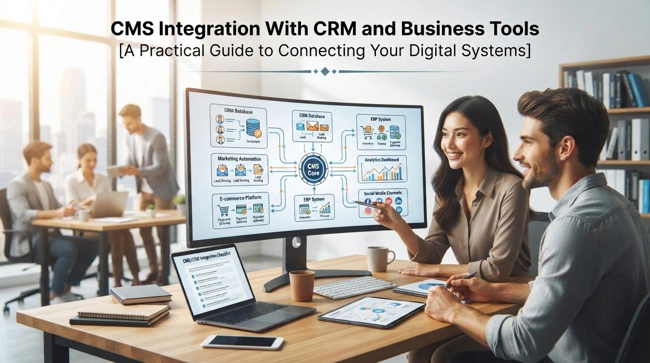
If your website is growing alongside your business, your content management system eventually becomes more than a place to publish pages and blog posts. It starts interacting with customer records, sales processes, marketing campaigns, email platforms, analytics tools, payment systems, and internal applications. When those systems operate separately, employees often end up copying information from one platform to another, which creates unnecessary work and leaves more room for errors. CMS integration with CRM and business tools can bring these disconnected processes together.
CMS integration with CRM and business tools connects a company's content management system with applications such as customer relationship management platforms, marketing automation software, accounting systems, analytics tools, email services, e-commerce platforms, and other business applications. The goal is simple: allow relevant information to move between systems automatically so employees can spend less time managing data and more time serving customers and growing the business.
If your website, CRM, sales team, and other business applications are operating in separate silos, this guide will help you understand what integration can accomplish and where to begin. Read on to learn how CMS integration works, which systems businesses commonly connect, what benefits to expect, how APIs fit into the process, and how to avoid the implementation mistakes that can make an otherwise useful integration frustrating.
What Is CMS Integration With CRM and Business Tools?
CMS integration with CRM and business tools is the process of connecting a content management system with other software used to run and market a business. A CMS such as WordPress, Drupal, Joomla, or a custom content management platform can be connected to a CRM, email marketing platform, customer support system, analytics service, e-commerce application, accounting software, or internal business application.
The connection allows selected information to move between platforms without requiring employees to manually copy and paste it. For example, a visitor might submit a form on a company's website, and the integration can automatically send that person's information to the CRM as a new lead. The sales team can then follow up without someone having to download the form submission and create a customer record manually.
The important point is that integration should serve a business process rather than simply connect two applications because they happen to offer an integration option. A well-designed connection answers a practical question: What information needs to move, where it should go, when it should move, and what should happen after it arrives?
Why Businesses Need CMS and CRM Integration
A website is often the first place a potential customer interacts with a company. Someone may read a blog post, download a guide, request a quote, register for an event, subscribe to an email list, or submit a contact form. If that activity stays inside the CMS, the sales and marketing teams may have very little context about the customer's journey.

Connecting the CMS to a CRM changes that. Website activity can be integrated into a broader customer record, giving sales and marketing teams a clearer picture of how prospects interact with the company. Instead of treating every website visitor as an anonymous lead, the business can use relevant information to understand where a prospect came from and what they were interested in.
This becomes even more valuable as a company grows. A small business might manage a handful of leads manually without too much difficulty. Once hundreds or thousands of contacts are involved, however, manual processes become difficult to maintain. Integration helps keep systems connected as transaction volumes and customer interactions increase.
Businesses already evaluating business software integration services may find CMS integration an important part of their wider strategy. The website should not be viewed as an isolated marketing asset; it can become an active part of the company's operational technology environment.
How CMS Integration With CRM and Business Tools Works
Most integrations rely on one or more technologies that allow applications to exchange information. Application programming interfaces, commonly known as APIs, are one of the most common approaches. An API defines how one application can request or send information to another application in a controlled way.
For example, when a visitor submits a lead form, the CMS can send information such as the person's name, email address, company, and inquiry to the CRM through an API. The CRM can then create or update the contact record. Depending on the setup, the CRM may also assign the lead to a salesperson, add a tag, trigger an email sequence, or create a follow-up task.
Some integrations use webhooks, middleware platforms, plugins, connectors, or native integrations rather than a direct API connection. The technology varies, but the objective remains the same: establish a reliable flow of information between systems while preserving data accuracy and security.
Which Business Tools Can You Connect to a CMS?
The answer depends on the CMS and applications used, but modern businesses have many integration options. A company does not necessarily need to connect every application it owns. In fact, unnecessary integrations can create additional complexity. The better approach is to prioritize systems that directly support important customer or operational workflows.
Common integration targets include:
- CRM platforms for managing leads, prospects, customer records, sales activities, and account information.
- Email marketing and marketing automation platforms for managing subscribers, campaigns, segmentation, and automated communications.
- E-commerce systems for connecting product information, orders, customer accounts, and website content.
- Accounting and financial applications for sharing selected transaction or customer information.
- Customer support platforms that connect website users to tickets, conversations, knowledge bases, and service histories.
- Analytics and reporting tools for understanding website behavior, conversions, traffic sources, and marketing performance.
The right combination depends on how the company operates. A B2B software company may prioritize CRM and marketing automation, while an online retailer may put greater emphasis on e-commerce, inventory, customer service, and payment systems.
The Benefits of Connecting Your CMS to a CRM
One of the biggest advantages of integrating CMS and CRM is improved lead management. Without integration, a prospect who submits a website form may sit in an inbox until someone notices the message. With an appropriate connection, the lead can enter the CRM immediately and follow the company's normal sales process.

Integration can also improve the quality of customer information. Instead of maintaining separate records on the website and in the CRM, businesses can establish rules for where specific customer information should reside. This reduces duplicate records and helps employees work from more consistent information.
There are several practical benefits businesses commonly pursue:
- Faster lead response: New inquiries can reach the appropriate team without manual forwarding or data entry.
- Better customer context: Sales and support teams can access relevant information connected to website interactions.
- Less repetitive work: Employees spend less time transferring information between applications.
- More consistent reporting: Marketing and sales data can be connected to website activities and conversion events.
- Improved personalization: Businesses can use appropriate customer information to tailor website experiences and communications.
These improvements can have a meaningful effect on productivity by removing small administrative tasks that are repeated hundreds or thousands of times.
CMS Integration Can Improve Marketing Automation
Marketing teams often use several systems to attract, educate, and convert prospects. A CMS may contain blog content and landing pages, while an email marketing platform manages campaigns and a CRM manages sales opportunities. If those systems cannot communicate, marketers may have difficulty connecting content engagement with customer outcomes.
Integration allows a company to create more connected marketing workflows. For example, someone who downloads a specific resource can be added to an appropriate audience or segment. Their activity can then contribute to a broader marketing journey rather than remain an isolated event within the CMS.
This does not mean every visitor should immediately receive automated sales messages. Good integration supports thoughtful automation, where the business uses customer information responsibly and provides communications that are relevant to the person's actions and relationship with the company.
Connecting CMS, CRM, and E-Commerce Platforms
For companies that sell online, the relationship between content, customers, and transactions can be particularly important. Product pages, educational content, customer accounts, shopping carts, orders, and marketing campaigns may all exist within different systems.
Connecting these platforms can create a more complete customer journey. A visitor may discover a product through a blog article, view several product pages, create an account, make a purchase, and later contact customer support. When the relevant systems are connected, the business can understand these interactions as parts of a broader relationship rather than unrelated events.
Integration also helps avoid unnecessary manual updates. Product information, customer data, order information, and marketing events can be shared according to defined rules. For businesses with larger catalogs or more complicated sales processes, this can become a major operational advantage.
CMS Integration With Accounting and Financial Software
Not every CMS needs a direct connection to accounting software, but certain businesses can benefit from connecting website transactions with financial workflows. E-commerce companies, membership businesses, subscription services, and online service providers are common examples.
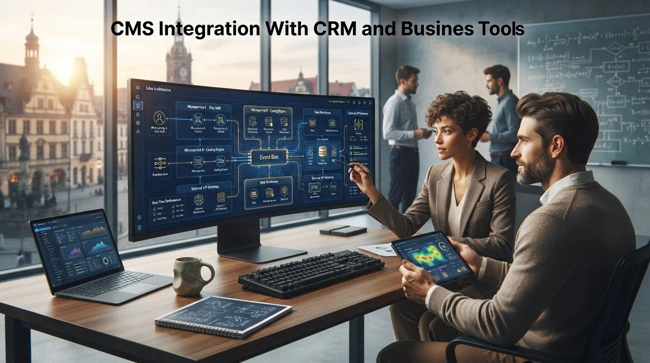
The integration might allow selected information about orders, customers, invoices, or payments to move between systems. The exact setup depends on the accounting platform and the company's financial processes. It is important to avoid treating an accounting integration as a simple data-transfer exercise because financial information often requires stricter controls than ordinary website content.
This is where a broader QuickBooks integration and automation services strategy may become relevant for businesses using QuickBooks alongside their website and other applications. The objective should be to reduce duplicate data entry while maintaining appropriate financial controls and reconciliation procedures.
Designing a CMS Integration Around Business Workflows
Successful integration starts with understanding the workflow before choosing the technical approach. Businesses should identify what happens when a customer interacts with the website and which teams need the resulting information.
For example, consider a quote request. The visitor submits a form, the CMS validates the information, the CRM creates a lead, the appropriate salesperson receives an assignment, and the marketing platform records the source of the lead. Each step represents part of a single business process. The integration is successful when those steps happen reliably without employees having to manually move information between platforms.
Before development begins, document the workflow and answer practical questions such as:
- What triggers the integration?
- Which fields need to be transferred?
- Which system is the source of truth for each type of information?
- What happens if the receiving system is unavailable?
- How should duplicate records be handled?
- Who should have access to the information?
- What happens when a customer updates their information?
These questions may sound technical, but they are primarily business questions. Answering them early can prevent expensive changes later.
Data Mapping and Synchronization Are Critical
Two applications can use different names or structures for similar information. One system might use "Company Name," while another uses "Organization." One application may store a customer's full name in a single field, while another separates first and last names.
Data mapping establishes how information from one platform corresponds to information in another. It may sound like a small technical detail, but poor mapping can lead to incomplete customer records, incorrect values, duplicate contacts, and confusing reports.
Synchronization rules are equally important. Businesses should decide whether information moves in one direction or both directions. They should also establish which platform is authoritative when the same information changes in multiple systems. Without clear rules, an integration can create conflicting records rather than solving the problem it was designed to address.
Choosing Between Native Integrations, Middleware, and Custom Development
Businesses generally have three broad approaches to CMS integration: use a native connector, introduce middleware, or build a custom integration. Native integrations are often the simplest option when the CMS and business application already support the required workflow.
Middleware can be useful when several applications need to communicate. Instead of building separate connections between every system, a middleware platform can act as a central integration layer. This can make complex environments easier to manage, although it introduces another technology that must be configured and maintained.
Custom development becomes useful when the required workflow is too specialized for existing connectors. A custom integration can provide greater control over data mapping, business rules, authentication, error handling, and synchronization. However, custom development also creates a long-term maintenance responsibility, so it should be justified by a genuine business requirement.
| Integration approach | Best suited for | Main consideration |
|---|---|---|
| Native integration | Standard workflows supported by both platforms | Usually simpler to deploy and maintain |
| Middleware | Multiple applications and more complex workflows | Adds another layer to manage |
| Custom API integration | Specialized requirements and unique business processes | Provides flexibility but requires ongoing development |
The best choice is not necessarily the most technically sophisticated one. If a native integration can safely handle the required process, there may be little reason to build something custom.
Security and Privacy in CMS-CRM Integration
Whenever customer information moves between applications, security needs to be part of the design from the beginning. Integrations may handle names, email addresses, phone numbers, company information, purchasing activity, or other business data, making access controls and authentication important considerations.
Businesses should use secure authentication methods, limit access to the information that each application actually needs, and avoid exposing sensitive API credentials in website code. Integration logs should also be reviewed carefully because logs can sometimes contain information that should not be publicly accessible.
Privacy requirements should be considered as well. Depending on where the business operates and what information it collects, regulations such as the General Data Protection Regulation (GDPR), the California Consumer Privacy Act (CCPA), or other applicable privacy laws may influence how customer information is collected, transferred, stored, and deleted.
Common CMS Integration Mistakes to Avoid
Integration projects often fail for reasons that have little to do with programming. One of the most common mistakes is trying to automate a poorly defined process. If employees cannot agree on how a lead should be handled manually, connecting the systems will not automatically solve the underlying confusion.

Another problem is integrating too many applications too quickly. Every additional connection creates another dependency that may need monitoring, updates, testing, and troubleshooting. A smaller number of well-designed integrations is often more valuable than a complicated network that nobody fully understands.
Businesses should also avoid ignoring what happens when something goes wrong. APIs can fail, services can become unavailable, credentials can expire, and data can arrive in an unexpected format. A reliable integration needs appropriate error handling, monitoring, and a way for employees to identify and resolve failed transactions.
How to Measure the Success of CMS Integration
An integration should have measurable business objectives. Simply being able to say that two applications are connected does not prove that the project delivered value.
For example, a company might measure the time required to process a new lead before and after integration. It could track duplicate customer records, manual data-entry hours, lead response times, form-to-CRM conversion rates, or the number of failed synchronization events. The appropriate metrics depend on the workflow being improved.
The most useful measurement is often tied directly to the original business problem. If employees previously spent several hours each week transferring website leads into the CRM, the reduction in manual work is a meaningful result. If customers previously waited hours for follow-up because inquiries sat in an inbox, a faster response time is a meaningful result.
When Should You Consider Professional CMS Integration Services?
If your business has only one simple connection to configure, an existing plugin or native integration may be enough. The situation changes when multiple applications are involved, customer information needs to synchronize in both directions, or the integration affects sales, accounting, support, and other important workflows.
Professional development can help businesses map processes, select an appropriate integration architecture, configure APIs, handle authentication, establish synchronization rules, test data flows, and provide ongoing support. This is particularly valuable when an integration becomes part of a business-critical process where failures could affect customers or revenue.
A professional approach also helps prevent the common mistake of building an integration that works technically but does not fit how employees actually work. The best integration is one that quietly supports the business in the background rather than creating another system employees have to manage.
Building a Connected Digital Business Environment

CMS integration with CRM and business tools is ultimately about creating continuity between the different parts of a business. Your website should not exist in isolation from sales, marketing, customer service, finance, or e-commerce simply because those functions happen to use different applications. When the right systems can exchange information securely and reliably, the business gains a more complete view of its customers and operations.
The key is to start with the workflow rather than the technology. Identify where employees are repeating work, where information gets lost, and where customers experience unnecessary delays. Then determine which systems need to communicate and choose the simplest reliable integration approach that can solve the problem.
As businesses grow, connected software becomes increasingly important. A well-planned CMS integration can provide the foundation for better automation, cleaner data, faster customer response, and more efficient operations without forcing a company to replace every application it already uses. When integration is designed around real business needs, technology becomes less of a collection of separate tools and more of a connected system that helps the company move forward.
Frequently Asked Questions About CMS Integration With CRM and Business Tools
What is the purpose of CMS integration with CRM and business tools?
The purpose is to connect the website's content and customer-facing activities with other business applications so that relevant information can move between systems automatically. This can reduce manual data entry, improve customer records, support marketing and sales workflows, and provide a more connected view of business activity.
Can WordPress integrate with a CRM?
Yes. WordPress can integrate with many CRM platforms through plugins, APIs, webhooks, native connectors, or third-party integration services. The best method depends on the CRM, the information that needs to be transferred, and the complexity of the required workflow.
Does CMS integration require custom coding?
Not always. Many common CMS and CRM combinations have existing integrations that can handle standard workflows without extensive development. Custom coding becomes more useful when a business has specialized requirements or needs several applications to exchange information in ways that standard connectors cannot support.
How long does CMS and CRM integration take?
The timeline varies considerably. A simple form-to-CRM connection may be relatively straightforward, while a multi-system integration involving customer records, e-commerce, accounting, marketing automation, and complex synchronization rules can require considerably more planning, development, and testing.
Is CMS integration worth it for a small business?
It can be, particularly when employees are spending significant time moving information between applications or when leads are being lost because follow-up is inconsistent. Small businesses do not necessarily need complicated integration. Even a few carefully selected connections can eliminate repetitive work and improve visibility.
What is an API in CMS integration?
An API, or application programming interface, provides a defined way for software applications to communicate with each other. In a CMS integration, an API can allow the website to send or retrieve information from a CRM, accounting platform, e-commerce system, or another application.
Can CMS integration improve customer experience?
Yes. When systems are properly connected, businesses can respond faster, maintain more consistent customer information, personalize appropriate communications, and reduce situations where customers have to repeat information they have already provided.